






October 27, 2010

I just LOVE the Snow Angel Cart for the Imagine!


Hi again everyone, Beth here from thunderbirdlindybydesign.  I am happy to be back with She's a Sassy Lady.  This month I am going to give you a peek at Snow Angel.  It's a patterns and shapes cartridge for the Imagine.  I am in love with this cart.  The papers and layers you can create are awesome!

This project is a mini album.  I am really happy with how it turned out.  Using my Gypsy, I started with the present from Create a Critter, and then added squares inside of it from George.  I also added a spline from George and 3 ovals from George for the binding holes.  I cut this 2x out of Fed Ex envelopes, and also 2x out of card stock.  I then flipped the image and cut 2 addnl times out of cardstock.  I ended up with 6 cuts for both the front and back covers(4 cardstock and 2 fed ex).

I took a square from George sized to 5x5.5, added the spline and the ovals to created the pages.  I just cut these out of cardstock, 8x.
To decorate the pages, I pulled out my Imagine.  I really wasn't that impressed with this machine at first, but the more I use it, the more I am thinking "WOW".  It has so much potential.  The little house below is printed and cut all in one layer at 3.5".

The Background pages below and the tag and snowman are all printed and cut from the Imagine.


Here is a close up of the snowman, he was cut in layers and pop dotted together for a 3d effect.

Here are some addnl pages.


The Pics don't do this album justice, the colors are bolder and more vivid in real life.  These pics were taken late at night(as usual).  This album is ready to go for Christmas.  I am thinking black and white photos for an old timey feel.

Here is a picture of the finished album.

I hope you like it.  I want to thank Sheila for having me as a guest designer on her blog.  I will try and add the cut file to my blog by tonight.  You just need create a critter and george.
Thanks again, Beth

October 26, 2010

Bird Cage Album


Hi all,
It's Kelly from http://www.kamscraftyplace.blogspot.com/ . Today I wanted to make a mini album. I have wanted to get the serenade cart for a long time. Finally I have it. I love the bird cages on it. This inspired me to make a bird cage mini album. I like to use one image and change it to make a great mini album.The bird cage is 5.94 inches in height. I left the link on. I used K& co paper.

I used two layers for my Gypsy file. This is the first layer. On this layer I used one of the bird cages with all the bits cut out. The second image is using hide contour to a solid image. I use two and three images when I cut my chipboard out as it's not 12 x 12. So it doesn't fill a whole mat. I use cereal boxes and pizza boxes for my chipboard.
Here is the first layer cut out.

Here is the second layer on the Gypsy. As you can see the three bird cages have had Hide contour used on them. I used hide contour on one image and then copied that image twice. It saves time. Copy is the button with two squares on top of each other.
Here is layer two cut out.

When I cut the paper for these shapes I used layer 2 and 4 cages. I copied another cage as I was using all of the cutting mat as I used 12x12 paper.
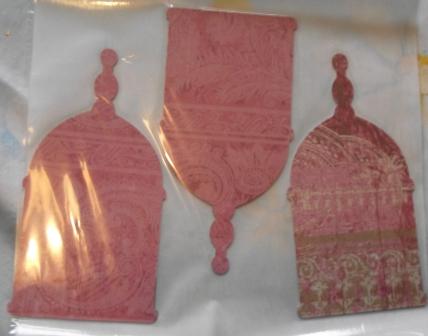
I cut layer 2 twice with two different sheets of paper. Here is the first lot cut out.
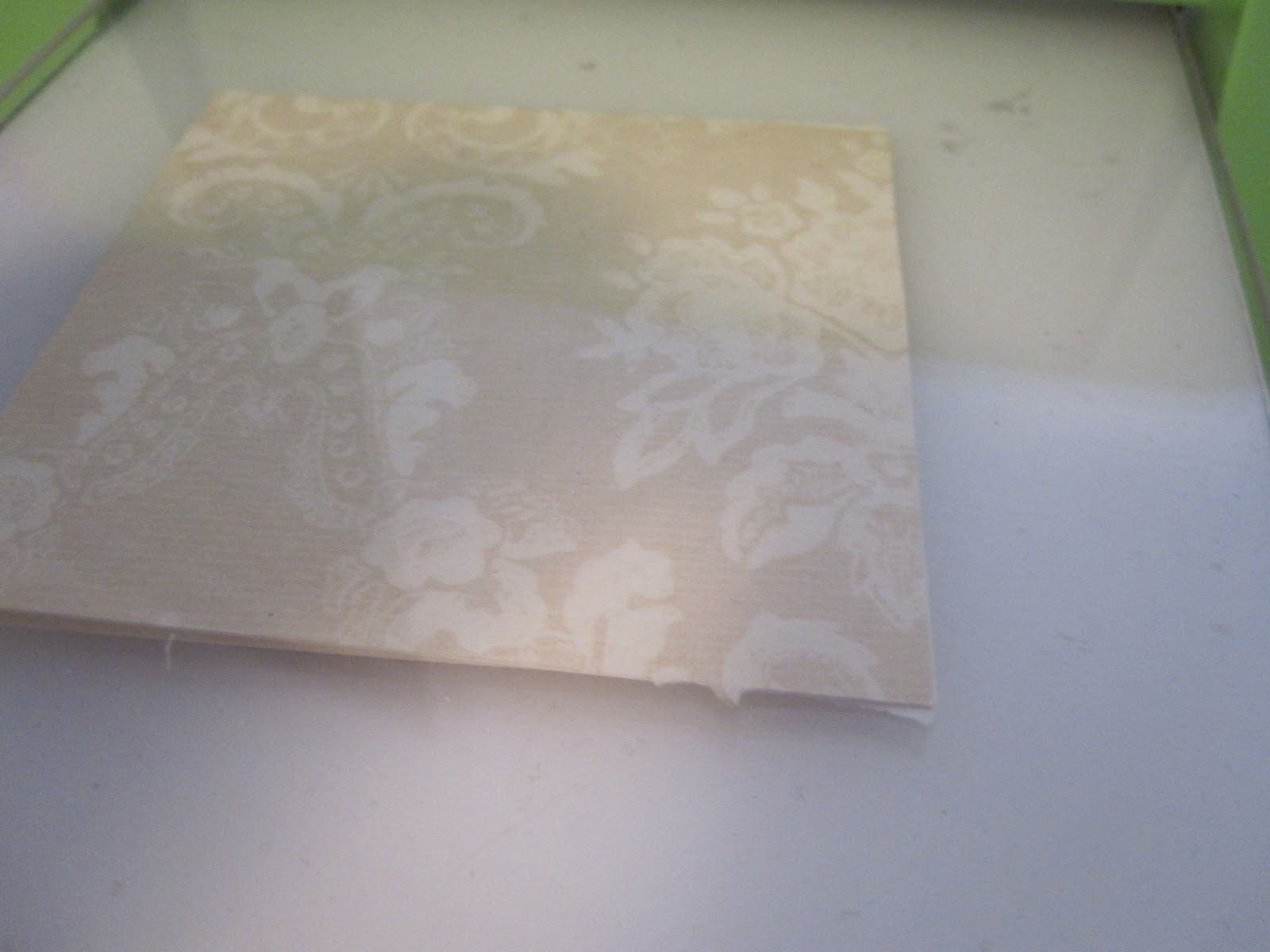
Here is the second lot cut out.

Here are all the shapes, paper cut out.

For the bird cage I used gilding flakes. I put all the gilding flakes in a ice cream tub with a paint brush to store it. My gilding flakes were a mixed bag. You can buy just gold, silver or bronze on it's own.

I used the Xyron creative station to put a layer of adhesive onto the cage.


Here is the cage after it's come out of the Xyron. I turned it over so the adhesive would be on the front of the cage.


I then placed the cage in the flakes as you can see in the picture. I then used the paint brush to brush the excess flakes off. I used a circle motion and didn't press to hard. Using the xyron saves having to buy the size for leaf metal. Basically a glue you paint on and have to wait until it goes clear before you put the flakes on.

Here is the cage after the brushing off. It gives it a antique look.
I then used the zyron for adding adhesive to the chipboard. I sometimes find it easier than using my ATG gun.


To finish it I used my crop a dile to cut a hole in the top of the cages. This is where I have attached it together with fibre.
I haven't added anymore to it as I always add most of the finishing touches after I choose the pictures. Also I haven't decided which one of my children should be behind the cage yet lol.
I hope you enjoyed this project. Please check out my blog for other great projects.
Kelly:)

October 25, 2010

'Squeezing In Some Scrappin'

Good Morning! Happy Monday! I hope each of you are having a fabulous day so far! Aymee Gandy of A Scraphappy Southernbelle here with you on this beautiful day! I am so excited to be sharing another project here at She's A Sassy Lady!
I had such a busy weekend this past weekend. The hubby and I actually got to spend the whole weekend together, which is so rare! We had a blast! But I knew I had some work due so I sat down and 'squeezed' some scrappy time in and created a simple little project that I've been wanting to do....some Thanksgiving silhouette decorative frames to put in my home for the Thanksgiving season. These were super easy, super quick, and so affordable!!! I started with my girl Esmerelda (my Cricut Gypsy) and the Seasonal Thanskgiving Cricut Cartridge. I selected the Pilgrim Woman and Pilgrim Man silhouettes. But when I went to size them, I knew I was going to have to tinker with them to get them to fit into these small frames that I purchased for $1 each at our local Dollar Deals store. So I unchecked the 'keep proportion' box on my Gypsy and 'squeezed' these shapes in a tad. So now they are a bit skinnier, but fit perfectly into my frame. The fact that I can 'see' before I cut with my Gypsy is just phenomial to me! No more wasting paper because I cut something too big or too small. And the fact that I change the shape to fit my needs...just so awesome! Another reason I couldn't live without my Gypsy!!! I used cardstock from The Paper Studio and patterned paper from K & Company. Here is the Pilgrim Woman frame:
 Can't beat these frames for a $1 at the store too!!! I plan on putting these 2 frames next to each (facing one another) other on a end table in our living room.
 Pilgrim Man Silhouette Frame
 While I was making these, I went ahead and made another set to send to my Mom. We are both big decorators. We love to change up the decor' in our homes during holidays. So I hope she will enjoy hers. I added some lace trim to outer edge of her frames to jazz them up a bit more.
So next time you are at your local dollar store, check out the frames section! I was very surprised at the selection offered by mine. These are real wood frames and do not look cheap at all. Or at least I thought so. These could also be hung on the wall by adding some ribbon. And don't tell the hubby, but I bought 4 more frames too to jazz up for Christmas! LOL. I am on a altered frame kick I believe. You have to give this a try! These are so easy to do and would make great gifts!!!

I hope you have a wonderful day and have enjoyed this simple project! Happy Scrappin'!
This was posted by Aymee Gandy (this is a repair of the original)

October 24, 2010

COULD THIS BE PC'S NOVEMBER SURPRISE???

Let me just say this is something that I will want to have in my kitchen!!! You know it has to be less expensive than the big and perfect for those of us that are not avid bakers. I can see me making cakes already for my Grand children and family doings!!! I love the color too it will fit great in my kitchen and Anita will be soooo jealous!


signature

October 23, 2010

Gypsy Made Simple - Making A Partial Shape Card

It is Gypsy Made Simple Saturday and I am so excited to bring this project to you today. You will learn how to make a partial shape card today and you will love how easy they are and so unique. Above is my card without a sentiment on it because I can add what I need later be it a Happy Birthday, Thank You, Miss You or even a Get Well Soon! Please get your drink, and turn your Gypsy on because you will want to learn how to do this type of card and have it ready for use in your own private stash!

The first video is great for a wide card.... I had to chuckle when I reviewed it as I didn't have all the pieces to the little puppy while I was talking to you. You know you make me nervous every time I do one of these videos, don't you? This week I expect you to play along, make and post your creation so I know you like what you see.
Here is a close up of the base of the card with the preview on so you can see where it will cut.
And another closeup of all the layers. Note I did do it two up so I could make two cards at one time!

This second video is showing an A2 Card that is Long and if you time me you will see I made this card in just under 3 1/2 minutes! Not bad hey? Now remember the secret to doing a card so fast is my template... notice 1 page(template) has the 4x25x11 and the 2nd page or base layer has the size all ready to work with; 4.25x9.5 (note sometimes you may want to adjust that). All I had to do was choose my artwork! Cool hey?
Too get the puffy nose I used the little piece that came out of the dog layer, used my Xyron and then added black glitter.
Then I used a VERY HEAVY layer of crystal effect from SU (or Glossy Accents) as you see on the photo on the left. I used red stickles on the collar and set both aside until they dried. I might add when you make a coat this heavy it takes hours for it to dry. While they were drying I scored and folded the base.

Then proceeded to assemble the little puppy. I used little google eyes with eyelashes that I purchased from Hobby Lobby.
When the nose was dry I secured it in place. See how it is lifted or puffy instead of just flat?

Applying Glitter And Setting It.
First run the object face down through your Xyron. Rub off any excess glue.
I used my tweezers to hold it while I sprinkled the glitter on evenly. Make sure it is completely covered.
Then I set it on a scrap piece of card stock and covered it with another piece of card stock and ran it through my Cuttlebug. The sandwich was the A-B-C plate with the card stock in between. I then ran it through back and forth a couple of times.
Doesn't it look great? It adheres so well and very little comes off when you run you fingers across it. You will love the effect it gives.
Now for my long card I used the little crab from Create a Critter. My paper is so glittery I just love it and it was one of my scraps but I think it was from My Minds Eye. After layering all I need to do was apply the little google eyes and this card was good to go.
Isn't he just too handsome? And he only took 3 1/2 minutes to design and I used scrap paper to boot! You gotta love that!
That's it for today and I want to thank you for spending time with me, I sure hope you learned something new and enjoyed today's projects. Wasn't it easy and just think you too can design a card in 3 1/2 minutes too.

Now I CHALLENGE YOU TO make a card and then link it up on my blog so we can see what you did and how much you are growing with your skills. These are basic skills that you are learning and they will be your stepping stones for everything you design in the future. Remember if you have any questions be sure to email me at ShesASassyLady@hotmail.com or if there is any area that you want me to cover please do the same as I am using your questions and suggestions for future Gypsy Made Simple features.
MyFreeCopyright.com Registered & Protected
Thanks for your continued support and sweet words of encouragement. Your comments are what inspire me to share with you.
signature