






Showing posts with label Varsity Letter. Show all posts

October 16, 2011

Vinyl Plastic Cups

Hi everyone.  This is Trenise from www.scrappin-neesie.blogspot.com   I am super excited and little nervous because this the first time being a guest on someone else's blog.

For my project, I decorating a clear cup with vinyl. It's fun, simple, and  quick and they look so cute. 


The supplies I used are clear plastic cups from Bed Bath and Beyond ($3.99), Cricut cartridge Forever Young, Cricut Lite cartridge Varsity Letters, Cricut transfer tape and vinyl (I got off of Amazon.com).


I first started by cutting the women figures I was going to use along with clothing and accessories.  After I have cut out the images, I remove all excess vinyl because its easier to see where you need to place layers and when you use your transfer tape you don't want to grab the excess parts. 

I cut these women out at 4 inches.  AKA is cut at 2 inches and 1908 is cut at 1 1/2 inches.  Layering hte pieces seemed to be the only hard part for me.  Trying to layer each piece right the first time because once it sticks down, its there.  *So patience is the key that I learned with working with vinyl.


After you have gotten your pieces put together, Next you will cut your transfer tape big enough to cover the image you are about to use. Then peel back the backing of the transfer tape to where the vinyl is sticking to the transfer tape.

* I tried to do one without using the transfer tape, BIG NO NO.  Transfer tape is your friend. Use it.  LOL


Next you will place your transfer sheet exactly where you want it on the cup, because remember once its down, it's down.  Rub over it to make sure all parts are sticking down and then pull back the transfer tape.


And then you'll add whatever other images you need the same way.


I had so much fun with these that a made some other things also.

Another cup with a dragon


A wine glass with a music note
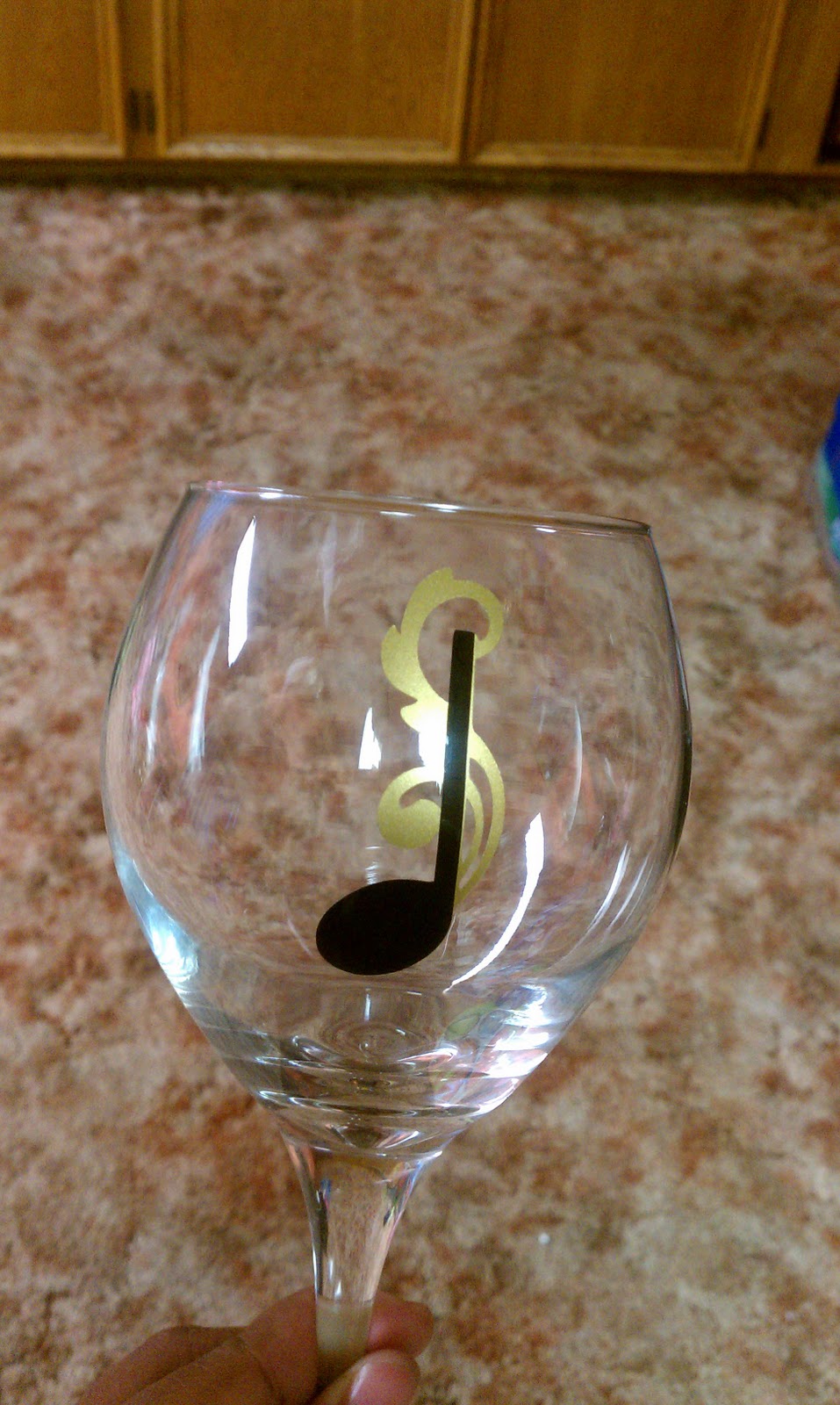


And a vase with a rose


Thank you for looking and I'd also like to thank Sheila, for having me here as a guest designer.

January 3, 2011

Top 10 in 2010

Hi and Happy 2011!!!  I am Lori Apgar from ScrappinMyStressAway and I am so excited to be Sassy today!!  I created this layout to highlight my Top 10 events from 2010.


I started out by putting a rectangle on my mat from George and unlinking the Aspect Ratio Link (the chain between the Width and Height on the Basic Menu). I changed the Width to 0.62 and the Height to 12.00. I copied it and moved each rectangle to either sides of the mat. I copied another rectangle and rotated it 90 degrees. I copied one more and moved one to the top of the mat and the other to the bottom of the mat.

I made another copy and positioned it at X5.74 Y-3.16 to create a border on the bottom of my layout. I grouped and welded the 5 rectangles. ***At this point I save my project as lo.frame.3(I have two similar versions saved already). The next time I want to make a similar layout, I have the basics ready to go.

I used the "ten" border on Graphically Speaking and stretched it to 11.25w x 2.25h. I moved it into the border space and welded it. ***Copy and paste onto Layer 2 so you have a page 2.

Go back to Layer 1 and add the words "Top 10" from Varsity Letter at 1.29w x 1.77h. Move them up into the rectangle a bit and weld.
 
On Layer 2, repeat with the words "In 2010".

I opened up Layer 3 and took the blackout shadow of a basic tag shape from Tags, Bags, Boxes and More and sized it to 2.55w x 3.92h. I made 9 copies.
 
On Layer 4, I added the numbers from Designer Calendar at 1.11w x 1.07h.

I opened a Layer 5 with some words that I highlighted on my tags. I did this later, after I listed my top ten! I used Songbird for my font as it welds no nicely! Each word is a different size so that it fit the tag once welded.

***When you are finished cutting your project, use the SAVE AS option so you still have your basic layout saved. You will need to change your file name a bit (ie lo.frame.3.top10).
 
I cut out my pages in maroon card stock.

I glued them down to a blue dotted paper.

I cut out the tags in a ivory card stock.

I used my scraps to cut out the numbers.

I inked the tags with my Vintage Photo distress ink.

I used ribbon to create a banner of tags.  I used buttons and staples on the tags.

Here is a sample of my journaling with my key words. Note the dot on my i ~ I always lose them in my Xyron so I improvised. I also had a couple of mistakes in my journaling, but I just wrote right over them because that is how I normally write.

 

Here is the "10" border from Graphically Speaking up close.

It is kind of hard to see in this photo, but I used faux stitching around the letters and numbers so they stand out a bit.
 
And here is another look at the two pages together. This layout took me about 4 days to complete ~ I worked it in between work and other projects. I had to walk away several times and come back and almost gave up....glad I stuck it out!!!

Thanks Sheila for having me on your blog today!!